

rust-pdf-box: A Pure Rust PDF Processing Library with Practical Examples
Explore how to work with PDF documents in Rust using an open-source library for watermarking, digital signatures, form processing, text extraction, and document management.
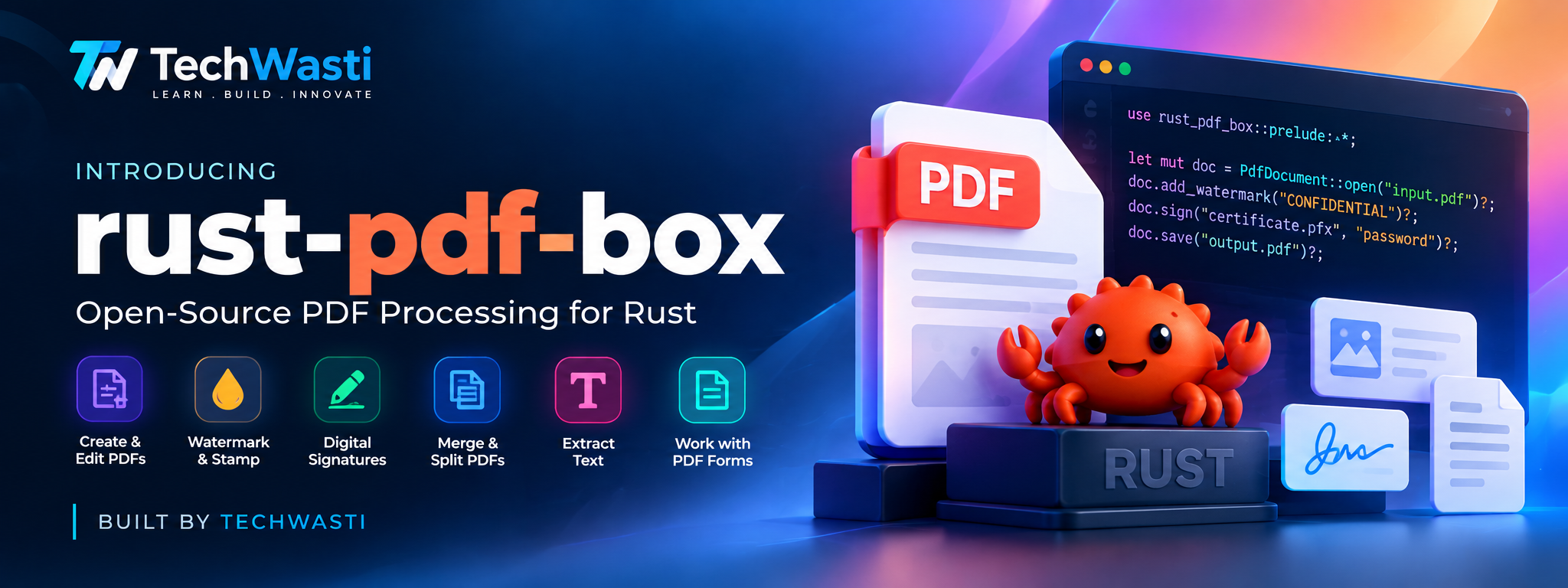
PDF files are everywhere in software applications.
From invoices and business reports to contracts, application forms, certificates, and technical documentation, PDF remains one of the most widely used formats for sharing information.
But working with PDFs programmatically can become complicated.
Imagine building an application that needs to:
- Add a watermark to every page of a document.
- Digitally sign a contract.
- Extract text from uploaded PDF files.
- Fill interactive PDF forms.
- Merge multiple documents into one.
- Split a large PDF into individual pages.
- Add approval stamps and page numbers. These operations are common in document-management systems, enterprise applications, financial workflows, and automation platforms.
For Rust developers, having a convenient and modern PDF-processing library can simplify these tasks.
This is where rust-pdf-box, an open-source project developed by TechWasti Infotech, comes in.
GitHub: https://github.com/techwastiinfotech/rust-pdf-box
Documentation: https://techwastiinfotech.github.io/rust-pdf-box/
1. What is rust-pdf-box?
rust-pdf-box is an open-source PDF processing library written in pure Rust.
The project aims to bring the capabilities and programming experience associated with Apache PDFBox into the Rust ecosystem through a modern, context-oriented API.
It provides both low-level PDF object handling and higher-level document operations, so developers can work with PDF internals as well as common document-processing workflows.
The project is designed without external C/C++ or OpenSSL dependencies.
techwastiinfotech/rust-pdf-box · GitHub+1
Some of its key capabilities include:
| Feature | What it helps you do |
|---|---|
| Watermarking | Add text or image watermarks |
| Rubber stamping | Add APPROVED, CONFIDENTIAL, or other stamps |
| Digital signatures | Sign and verify PDF signatures |
| AcroForms | Inspect, fill, and flatten form fields |
| Text extraction | Extract text from PDF content streams |
| Document merging | Combine multiple PDFs |
| Document splitting | Split PDFs into individual pages |
| Page operations | Rotate, reorder, duplicate, and delete pages |
| Annotations | Add hyperlinks and visual markups |
Let's explore some practical examples.
2. Getting Started with Rust PDF Processing
First, make sure Rust and Cargo are installed.
If you haven't installed Rust yet, visit:
https://www.rust-lang.org/tools/install
Create a new Rust project:
cargo new pdf-demo
cd pdf-demo
dd rust-pdf-box to your Cargo.toml:
[dependencies]
rust-pdf-box = "0.1.0"
The project currently documents version 0.1.0. Check the repository or package registry for the latest available release
he examples below use the library's documented API and assume that the input PDF files exist in your project directory. 3. Example One: Add a Watermark to a PDF One of the most common PDF-processing requirements is adding a watermark.
For example, organizations may need to mark documents as:
- CONFIDENTIAL
- DRAFT
- INTERNAL USE ONLY
- APPROVED
- SAMPLE With rust-pdf-box, you can use the stamping API to apply a watermark.
Rust example:
use rust_pdf_box::prelude::*;

fn main() -> PdfResult<()> {
    // Open an existing PDF document
    let mut doc = PdfDocument::open("document.pdf")?;

    // Apply a watermark to all pages
    doc.stamp()
        .pages(PageRange::All)
        .watermark(
            "CONFIDENTIAL",
            54.0,
            Color::rgb(0.85, 0.1, 0.1),
            45.0,
            0.25,
        )
        .apply(&mut doc.inner)?;

    // Save the updated PDF
    doc.save("watermarked.pdf")?;

    Ok(())
}
What's happening here?
- PdfDocument::open() opens an existing PDF.
- PageRange::All selects every page.
- watermark() configures the watermark text, size, color, rotation, and opacity.
- apply() applies the configured stamp.
- save() writes the resulting document. You can also target individual pages or a specific page range.
For example:
.pages(PageRange::Range(1..=5))
This is useful when you need to watermark only selected pages.
The library also supports rubber stamps and dynamic page headers and footers.
4. Example Two: Add an APPROVED Stamp
Consider an invoice approval workflow.
Once an invoice has passed the verification process, your application may need to add an approval stamp to the document.
Here's an example:
use rust_pdf_box::prelude::*;

fn main() -> PdfResult<()> {
    let mut doc = PdfDocument::open("invoice.pdf")?;

    doc.stamp()
        .pages(PageRange::Single(1))
        .position(
            StampPosition::TopRight {
                margin_x: 36.0,
                margin_y: 36.0,
            }
        )
        .rubber_stamp(
            "APPROVED",
            Some("Finance Department".to_string()),
            Color::rgb(0.0, 0.6, 0.2),
            -15.0,
        )
        .apply(&mut doc.inner)?;

    doc.save("approved_invoice.pdf")?;

    Ok(())
}
This example applies an approval stamp to the first page.
You can adapt the text, color, and positioning to match your application's document workflow.
Real-world use cases:
- Invoice approval systems
- Contract management applications
- Internal document processing
- Purchase order workflows
- Document review systems
- Example Three: Digitally Sign a PDF Digital signatures are important in document workflows where integrity and signer identity matter.
For example, an application may need to digitally sign:
- Contracts
- Business agreements
- Invoices
- Certificates
- Internal approval documents rust-pdf-box provides a digital-signature API based on detached PKCS#7/CMS signatures.
It also supports generating self-signed certificates in pure Rust for development and testing workflows.
Rust example:
use rust_pdf_box::prelude::*;

fn main() -> PdfResult<()> {
    let doc = PdfDocument::open("contract.pdf")?;

    // Generate a self-signed key for demonstration
    let key = SigningKey::generate_self_signed(
        "CN=Techwasti Signer, O=Techwasti Infotech"
    )?;

    // Configure the signer
    let signer = Signer::new(key)
        .with_name("Techwasti Infotech")
        .with_reason("Contract Agreement Execution")
        .with_location("India");

    // Sign the document
    let signed_bytes = doc.sign(signer)?;

    // Save the signed PDF
    std::fs::write(
        "contract_signed.pdf",
        &signed_bytes
    )?;

    // Verify the signature's cryptographic integrity
    let report = SignatureVerifier::verify(&signed_bytes)?;

    println!("Signature valid: {}", report.is_valid);

    Ok(())
}
Important distinction:
A cryptographically valid signature does not automatically establish that a signer is legally authorized or that a document satisfies every jurisdiction's requirements.
Production deployments may require trusted certificates, certificate-chain validation, revocation checking, trusted timestamping, and integrations with appropriate trust services.
A self-signed certificate is useful for testing, but it should not be treated as a substitute for an appropriate production signing identity. 6. Example Four: Fill and Flatten PDF Forms PDF forms are widely used in business applications.
Think about:
- Employee registration forms
- Customer onboarding forms
- Insurance applications
- Invoice templates
- Application forms Instead of manually editing each document, an application can populate PDF form fields programmatically.
rust-pdf-box supports AcroForm field inspection, value editing, and form flattening. techwastiinfotech/rust-pdf-box ·
Rust example:
use rust_pdf_box::prelude::*;

fn main() -> PdfResult<()> {
    let mut doc = PdfDocument::open("sample_form.pdf")?;

    if let Some(mut form) = doc.inner.catalog_mut()?.acro_form()? {

        // Read existing form fields
        for field in form.fields(&doc.inner)? {
            println!(
                "Field: {} = {:?}",
                field.name,
                field.value
            );
        }

        // Update form values
        form.set_field_value(
            &mut doc.inner,
            "FullName",
            "Jane Doe"
        )?;

        form.set_field_value(
            &mut doc.inner,
            "Organization",
            "Techwasti"
        )?;

        // Flatten the form
        form.flatten(&mut doc.inner)?;
    }

    doc.save("completed_form.pdf")?;

    Ok(())
}
What is form flattening?
An interactive PDF form normally contains fields that users can edit.
Flattening converts the form fields into permanent page content, so they are no longer interactive form inputs.
This can be useful when generating completed documents that should not be edited through the original form fields.
7. Example Five: Extract Text from a PDF
PDF documents often contain valuable information that applications need to process.
For example:
- Extract invoice details.
- Index technical documentation.
- Process business reports.
- Prepare document content for search.
- Build document-ingestion workflows. The library provides extract_text() for extracting text from PDF content streams. techwastiinfotech/rust-pdf-box · GitHub+1
Rust example:
use rust_pdf_box::prelude::*;

fn main() -> PdfResult<()> {
    let doc = PdfDocument::open("sample_article.pdf")?;

    // Extract text from the PDF
    let text = doc.extract_text()?;

    println!("Extracted PDF Text:");
    println!("{}", text);

    Ok(())
}
This provides a useful starting point for document-processing pipelines.
What about scanned PDFs?
A scanned PDF may contain page images rather than extractable text.
Such documents generally require OCR (Optical Character Recognition) before their text can be processed. Text extraction and OCR are different operations; don't assume that extracting a PDF's content streams will recognize text inside scanned images. 8. Example Six: Merge Multiple PDF Documents Suppose an application generates separate PDFs for:
- Customer information
- Invoice details
- Terms and conditions
- Supporting documents You may want to combine these files into a single document.
rust-pdf-box provides document-merging functionality with object ID remapping to help avoid collisions when combining documents.
Rust example:
use rust_pdf_box::prelude::*;

fn main() -> PdfResult<()> {
    // Open the source documents
    let doc1 = PdfDocument::open("article.pdf")?;
    let doc2 = PdfDocument::open("invoice.pdf")?;

    // Create a new PDF
    let mut combined = PdfDocument::create();

    // Merge both documents
    combined.merge(&doc1)?;
    combined.merge(&doc2)?;

    // Save the merged PDF
    combined.save("combined.pdf")?;

    Ok(())
}
This can be useful in:
- Report-generation systems
- Invoice management
- Document archival
- Business automation
- Contract management
- Example Seven: Split a PDF into Individual Pages Sometimes a large PDF needs to be divided into smaller documents.
For example, an application may receive a 100-page PDF and need to process each page independently.
The library includes a PDF splitter for creating individual-page documents.
Rust example:
use rust_pdf_box::prelude::*;

fn main() -> PdfResult<()> {
    let doc = PdfDocument::open("report.pdf")?;

    // Split the document into individual pages
    let pages = PDFSplitter::split_into_single_pages(
        &doc.inner
    )?;

    // Save each page separately
    for (index, page) in pages.into_iter().enumerate() {
        let mut sub_doc = PdfDocument {
            inner: page,
        };

        let filename = format!("page_{}.pdf", index + 1);

        sub_doc.save(&filename)?;
    }

    Ok(())
}
This is particularly useful when building document-processing systems that need page-level operations.
10. Use the PDF Command-Line Tool
Not every PDF workflow needs a Rust application.
Sometimes, developers want to process documents directly from a terminal or automate PDF operations through shell scripts and CI/CD pipelines.
The project also includes a standalone command-line utility called pdfbox.
techwastiinfotech/rust-pdf-box · GitHub
Here are some documented commands:
Display PDF information:
pdfbox info document.pdf
Extract text:
pdfbox text document.pdf output.txt
Add a watermark
pdfbox stamp contract.pdf approved.pdf "APPROVED" "Security Team"
Sign a PDF:
pdfbox sign contract.pdf signed.pdf "Techwasti Authority" "Execution" "India"
Verify a PDF signature:
pdfbox verify signed.pdf
Merge multiple PDFs:
pdfbox merge combined.pdf part1.pdf part2.pdf
Split a PDF:
pdfbox split report.pdf ./pages/
These commands can be useful in automation workflows where PDF processing is one step in a larger application pipeline.
11. Integrating PDF Processing into Real Applications
PDF processing is rarely an isolated requirement.
It is usually part of a larger business workflow.
Consider an automated invoice-processing system:
Example: Automated invoice workflow
Receive an invoice
An application receives an uploaded PDF.
Extract information
Extract available text from the document.
Validate the information
Check invoice numbers, dates, and required fields using application logic.
Apply an approval stamp
Mark the document after the relevant approval process.
Digitally sign the document
Apply a configured digital signature where required.
Store and distribute
Save the processed document in the organization's document system.
A Rust application can use rust-pdf-box as its PDF-processing component while the rest of the system handles authentication, business rules, databases, storage, and external integrations.
This separation makes it easier to maintain and extend an application.
12. Why Build PDF Processing with Rust?
Rust offers several characteristics that make it attractive for systems-level and backend development.
Memory safety: Rust's ownership and borrowing model helps prevent many common memory-safety issues.
Performance: Rust is designed for efficient native applications.
Strong type system: Its type system and compiler help catch many programming errors during development.
Deployment flexibility: Rust applications can be compiled into native binaries for supported target platforms.
For PDF-processing workloads, these characteristics can be useful when building document services, automation tools, and backend systems.
rust-pdf-box brings these Rust development characteristics to a PDF-processing library with both lower-level PDF structures and higher-level operations.
13. Explore the Source Code and Documentation
The project is open source and available on GitHub.
You can explore the implementation, review the examples, run the tests, report issues, or contribute improvements.
GitHub repository:
https://github.com/techwastiinfotech/rust-pdf-box
Official documentation:
https://techwastiinfotech.github.io/rust-pdf-box/
The repository includes executable examples, sample PDF fixtures, architecture documentation, integration guidance, and API references.
To explore the examples locally: git clone https://github.com/techwastiinfotech/rust-pdf-box.git
cd rust-pdf-box
cargo run --example quickstart
Other example commands include: cargo run --example stamping_demo
cargo run --example digital_signature_demo
cargo run --example form_processing_demo
cargo run --example merge_split_demo
cargo run --example extract_text_demo
You can also run the test suite: cargo test
The project is dual-licensed under MIT and Apache-2.0, allowing developers to choose either license subject to its terms.
Conclusion
PDF processing is an important part of many modern software applications.
Whether you are building document-management software, invoice automation, contract workflows, reporting systems, or document-processing pipelines, having a convenient PDF library can save development time.
With rust-pdf-box, TechWasti aims to make PDF processing more accessible to Rust developers through a modern API and practical document-processing capabilities.
The project is open source, and we welcome developers to explore it, experiment with the examples, report issues, and contribute.
Build with Rust. Simplify PDF processing. Create better document workflows.
Project links
rust-pdf-box — GitHub
Explore the source code and contribute to the project.
Official Documentation
Explore guides, examples, architecture, and API references.
Created and maintained by TechWasti Infotech
Comments
Join the discussionNo comments yet. Be the first to comment.