

Logging Request and Response Body In Spring Boot using Filter!!
Learner, Love to make things simple, Full Stack Developer, StackOverflower, Passionate about using machine learning, deep learning and AI
Spring Boot Request and Response logging using Filter. In this article, we are going to learn how to intercept the request, response, and log the body which is helpful for debugging or tracing issue purposes.
Introduction:
Logging is a crucial part of any application that reflects the data flow and helps to dissolve the complexity of a system. Let us jump and do a coding visit. https://start.spring.io/
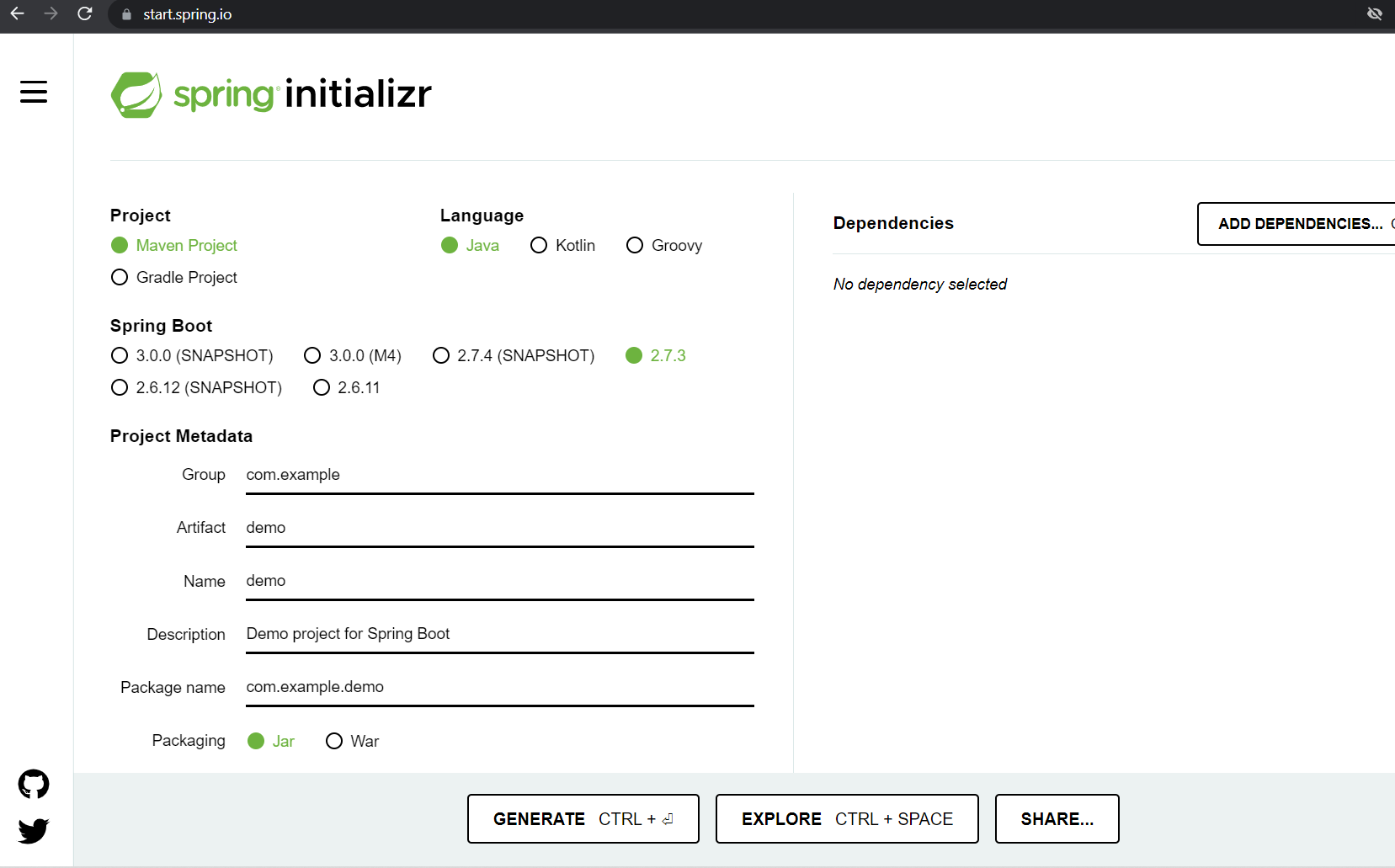
You can generate the project and download the zip or use the VSCode editor to generate the project and import into your favorite editor or IDE.
Tech Stack:
Java Spring Boot VSCode Gradle
Implementation:
Let us create some controller class so that we can have REST API which we will intercept later and logs the response and request body.
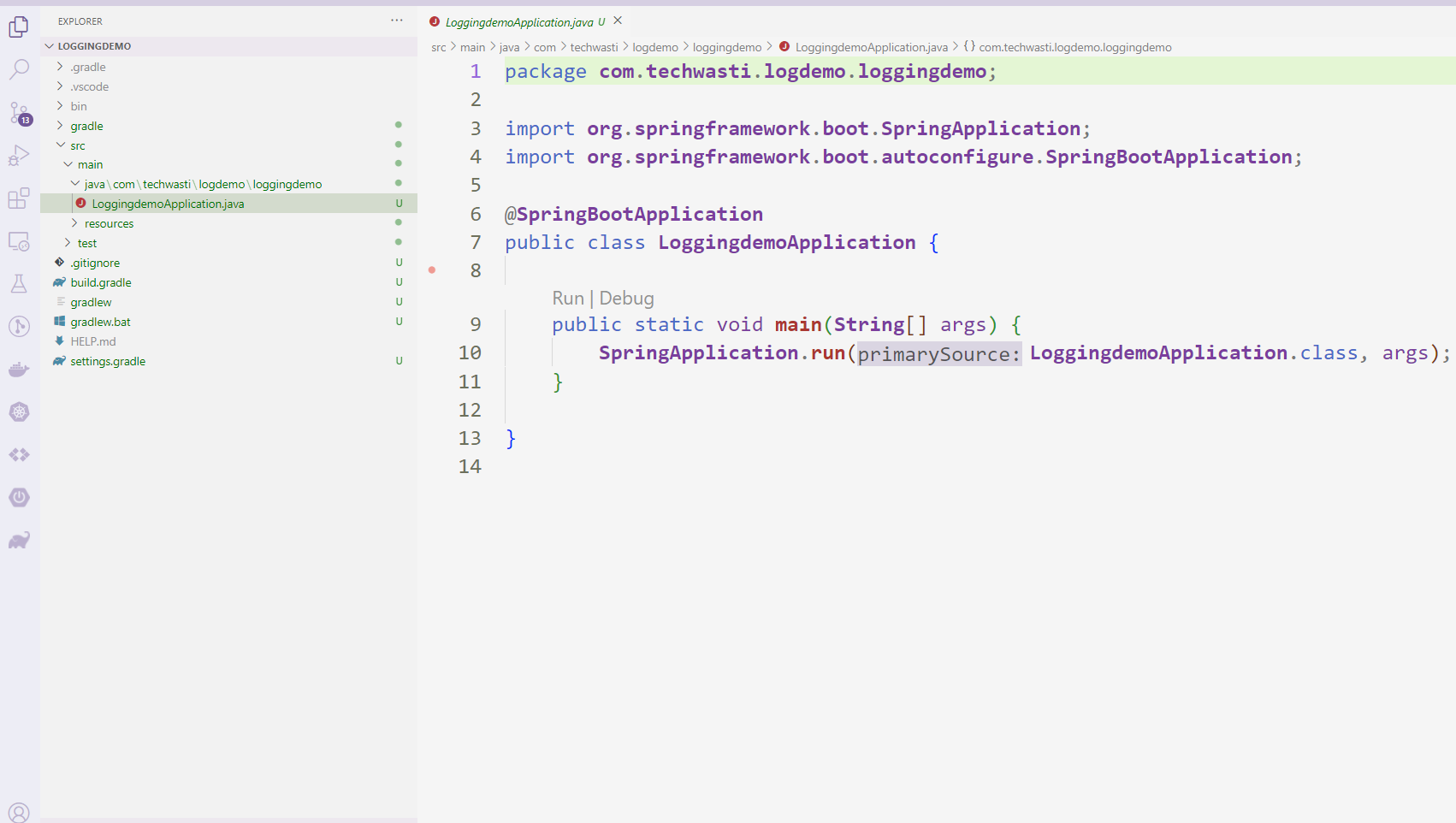
Let us create a model class as Customer.java
public class Customer {

    private int id;
    private String name;
    private String address;

    public int getId() {
        return id;
    }
    public void setId(int id) {
        this.id = id;
    }
    public String getName() {
        return name;
    }
    public void setName(String name) {
        this.name = name;
    }
    public String getAddress() {
        return address;
    }
    public void setAddress(String address) {
        this.address = address;
    }


}
CustomerController.java Controller which is having get mapping and which will return the list of customers
@RestController
@RequestMapping("/customer")
public class CustomerController {

    @Autowired
    CustomerService customerService;

    @GetMapping
    public List<Customer> getCustomers(){
        return customerService.getAllCust();
    }

}
In the same way, we do need the service layer which will interact with a database and return the result but for our demo, we are using a dummy one.
Service layer.
@Service
public class CustomerService {


    List<Customer> getAllCust(){
        return List.of(new Customer(1, "Ram","India"),
        new Customer(2, "Richard","India"),
        new Customer(3, "Suresh","India"),
        new Customer(4, "Mahesh","India"),
        new Customer(5, "Ganesh","India"));

    }
}
Now our basic structure is ready let us dive deeper and log the request and response. If you run the above code and hit the endpoint of customer you will get the list of customers.
Log request and response body:
Inside our Rest controller class, we will not log any statement but our filter class will log the request and response body for each API call. So this approach will reduce the lines of code and we don’t need to worry about adding log statements in each API to print the request and response body. Let us see the filter class.
LoggingFilterclass will extend OncePerRequestFilterclass because this is a Filter base class that aims to guarantee a single execution per request dispatch, on any servlet container. we will override the doFilterInternal method with HttpServletRequestand HttpServletResponsearguments.
Filter class
@Component
public class LoggingFilter extends OncePerRequestFilter {

    private static final Logger LOGGER = LoggerFactory.getLogger(LoggingFilter.class);


    private String getStringValue(byte[] contentAsByteArray, String characterEncoding) {
        try {
            return new String(contentAsByteArray, 0, contentAsByteArray.length, characterEncoding);
        } catch (UnsupportedEncodingException e) {
            e.printStackTrace();
        }
        return "";
    }

    @Override
    protected void doFilterInternal(HttpServletRequest request, HttpServletResponse response, FilterChain filterChain)
            throws ServletException, IOException {
        // TODO Auto-generated method stub
        ContentCachingRequestWrapper requestWrapper = new ContentCachingRequestWrapper(request);
        ContentCachingResponseWrapper responseWrapper = new ContentCachingResponseWrapper(response);

        long startTime = System.currentTimeMillis();
        filterChain.doFilter(requestWrapper, responseWrapper);
        long timeTaken = System.currentTimeMillis() - startTime;

        String requestBody = getStringValue(requestWrapper.getContentAsByteArray(),
                request.getCharacterEncoding());
        String responseBody = getStringValue(responseWrapper.getContentAsByteArray(),
                response.getCharacterEncoding());

        LOGGER.info(
                "FINISHED PROCESSING : METHOD={}; REQUESTURI={}; REQUEST PAYLOAD={}; RESPONSE CODE={}; RESPONSE={}; TIM TAKEN={}",
                request.getMethod(), request.getRequestURI(), requestBody, response.getStatus(), responseBody,
                timeTaken);
        responseWrapper.copyBodyToResponse();
    }

}
Now our structure is ready let us go ahead and run the application and check the logs Without adding extra code into our controller we are able to logging and just extension which is the beauty of spring boot.

Sample logs will be looks like this.
#Source Code:
git clone https://github.com/maheshwarLigade/spring-boot-examples.git
cd loggingdemo
gradle build
Conclusion:
This is the one way of intercepting the request, response, and logging the body or payload which helps you to debug and give a better idea without doing any changes in the business logic of the controller. Hope this will help you.
More such articles:
https://www.youtube.com/channel/UCiTaHm1AYqMS4F4L9zyO7qA
==========================**=========================
If this article adds any value for you then please clap and comment.
Let’s connect on Stackoverflow, LinkedIn, & Twitter.
